CodexPet Nest
Official SiteGive your Codex pet a place to live.
A tiny open-source macOS companion app. Add a floating nest background that follows your Codex pet, real-time status widgets, local pet management, and one-click community pet installs.
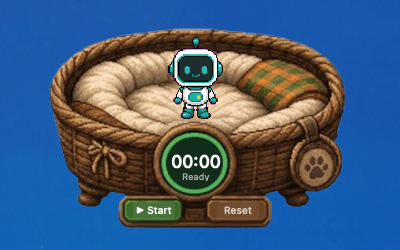
Four nests included in the first release
These official nests are available in the market and can be installed to the desktop app with one click.
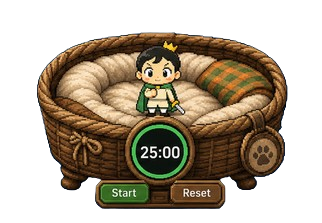
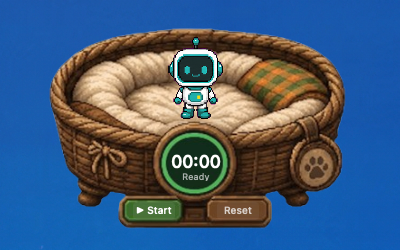
Basket Pomodoro Nest
A cozy basket where the pet rests with a focused Pomodoro timer.
View details and install
Legend Status Nest
A game status panel that maps long quota to HP and short quota to MP.
View details and install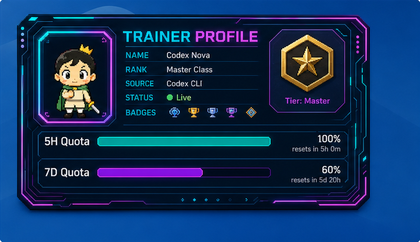
Trainer Card Nest
A futuristic trainer profile card displaying usage details and status badges.
View details and install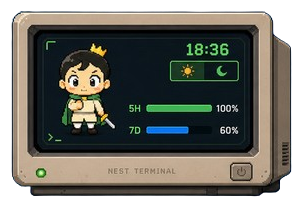
Nest Terminal
A retro computer terminal where the pet lives inside the screen with quota readouts.
View details and installCommunity Nest Market
Browse and install community-created nests. One-click install to your desktop.
Loading...
Pet Nest — Floating Desktop Overlay
A purpose-built transparent desktop layer that sits elegantly above your wallpaper and below your windows. The nest can follow your Codex pet as it moves, or stay fixed wherever you place it.
- Always-on-top transparent overlay window
- Follows pet position automatically
- Multiple built-in theme skins
- Customizable components and layout

Pet Management — All in One Place
Browse, install, switch, and manage your Codex pet packs directly from the menu bar. Support for both local file imports and community market browsing.
- Browse community pets on codexpet.xyz
- One-click install pet packs locally
- Manage installed pets (preview, switch, remove)
- View pet details and version info
Market Integration — One-Click Community Installs
Browse community pets on codexpet.xyz, click the one-click install button, and the pet automatically downloads and appears in your desktop nest. Seamlessly connects the online community with your local desktop experience.
- 1Browse Community
Discover and browse community pets on codexpet.xyz
- 2One-Click Install
Click the install button on any pet page
- 3Appears on Desktop
Pet downloads and loads into your desktop nest automatically
Install from Terminal
A fast way to get the latest version directly into your Applications folder.
npx codexpetxyz nest installTo download without installing:
npx codexpetxyz nest install --download-onlyBuilt to stay out of your workspace
CodexPet Nest does not modify the Codex app bundle, inject code, upload prompts, read your repositories, or rewrite Codex global state. It only reads local pet position/state data needed to place the nest beside your pet.
Currently for macOS
The first release is built for macOS 14+ on Apple Silicon. Windows support is possible, but it requires a separate desktop client because the current app uses native macOS APIs for the menu bar, transparent overlay window, and desktop positioning.
Open source from day one
CodexPet Nest is developed in the open. You can inspect the code, report issues, package your own nests, or contribute platform work.
git clone https://github.com/RyanNiu/codexpet-nest.git
cd codexpet-nest
make build
Give your Codex pet a place to live.
Download CodexPet Nest for macOS.
npx codexpetxyz nest install